The first step in making your business an industry leader in green and sustainable travel is completing a travel audit.
You can use our Travel audit to give you an idea of how well your business currently supports smarter, low carbon travel.
How it works
The Travel audit allows you to score your business against smarter travel measures in the following categories:
- Strategy and Governance
- Incentives and schemes
- Facilities
- Promotion
- Events
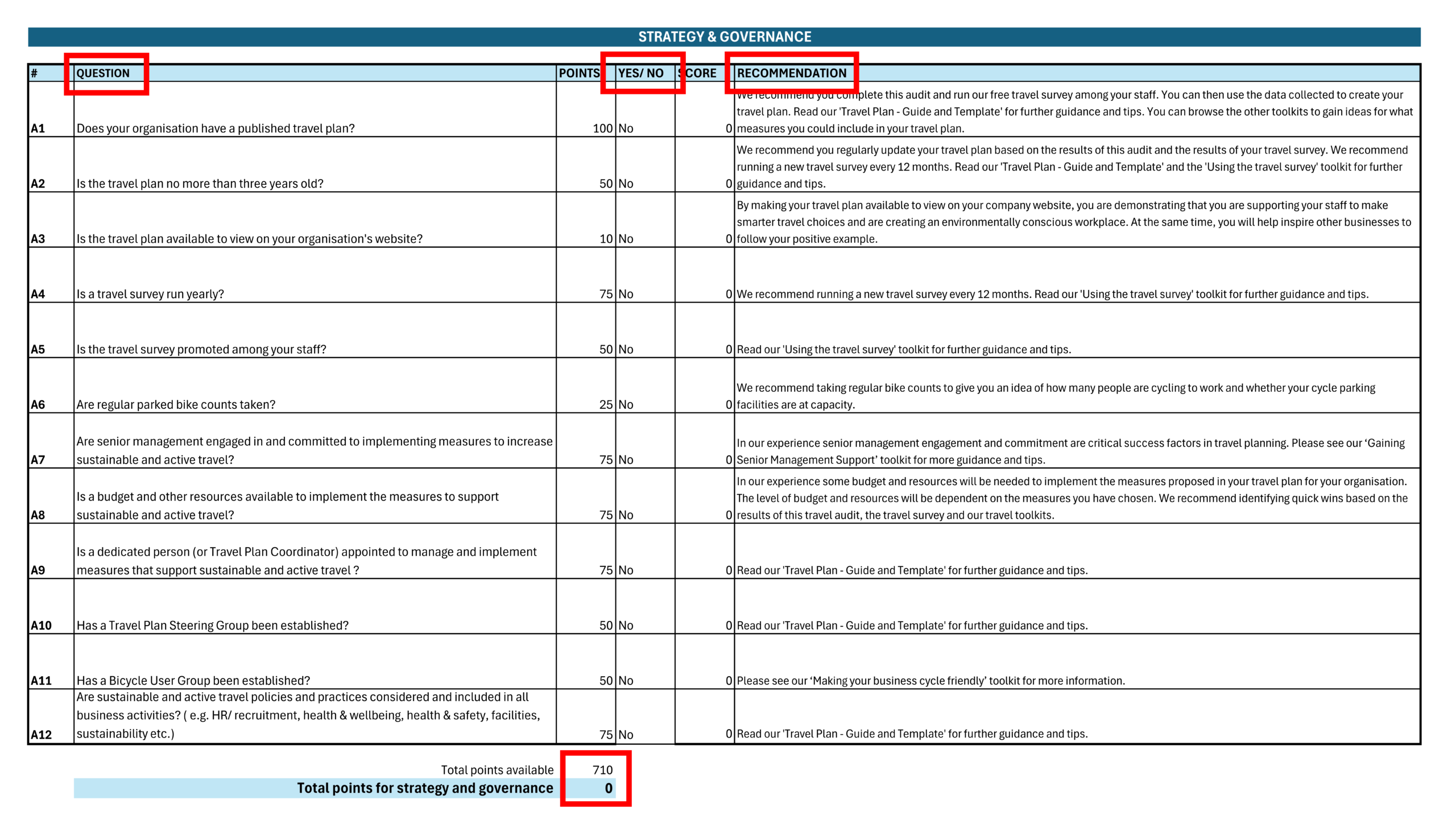
The travel audit has been created as an Excel document. Each of the categories listed above has a separate tab. Please see the image below as an example, showing the tab A. Strategy and Governance.
A list of measures is included for each of the categories in the form of a question (see image below).
To score your business, select ‘yes’ or ‘no’ in column E, to indicate whether a measure is in place at your business or not. When selecting ‘yes’, the associated points for this measure will be displayed in column F.
If you indicate a measure is not in place at your business by selecting ‘no’, further guidance will appear in column G.
Your total points for each category is displayed below the list of measures. On the tab A. Strategy and Governance, the total points received can be found in cell D18.
After scoring all measures/ questions on each tab, your total score will be displayed on the ‘Total Score’ tab.
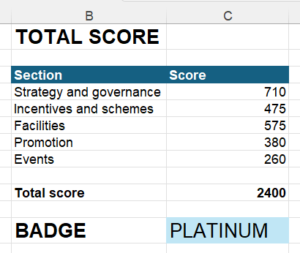
Your score will automatically be converted to a batch:
| Badge | Min score | Max score |
| Platinum | 2280 | 2400 |
| Gold | 2040 | 2279 |
| Silver | 1560 | 2039 |
| Bronze | 840 | 1559 |
| Unscored | 0 | 839 |
Tracking progress
To track progress, make sure you save the spreadsheet with a new file name before making updates to the measures.